npm install ../your-project
Wednesday, January 27, 2021

Monday, June 1, 2020
Get list of globally installed packages
Quick question: does everybody of you folks know the exact amount of globally installed npm packages in your workstation? Probably not.
This is especially true for NodeJS/npm newbies, who often try the most popular packages installing them globally, without even defining them in their package.json files; however, this may be useful even for more advanced NodeJS developer, who may not know every npm CLI trick.
So, this is it: npm list -g --depth 0
Let’s break this line down a little bit, shall we?
- npm: the Node package manager command line tool
- list -g: display a tree of every package found in the user’s folders (without the -g option it only shows the current directory’s packages)
- — depth 0 / — depth=0: avoid including every package’s dependencies in the tree view
Here’s a sample result:
Thursday, January 9, 2020
debug
Installation
$ npm install debug
Usage
debug exposes a function; simply pass this function the name of your module, and it will return a decorated version of console.error for you to pass debug statements to. This will allow you to toggle the debug output for different parts of your module as well as the module as a whole.
Example app.js:
var debug = require('debug')('http')
  , http = require('http')
  , name = 'My App';
// fake app
debug('booting %o', name);
http.createServer(function(req, res){
  debug(req.method + ' ' + req.url);
  res.end('hello\n');
}).listen(3000, function(){
  debug('listening');
});


// fake worker of some kind
require('./worker');
Example worker.js:
var a = require('debug')('worker:a') , b = require('debug')('worker:b');
function work() {
a('doing lots of uninteresting work');
setTimeout(work, Math.random() * 1000);
}
work();
function workb() {
b('doing some work');
setTimeout(workb, Math.random() * 2000);
}
workb();
a('doing lots of uninteresting work');
setTimeout(work, Math.random() * 1000);
}
work();
function workb() {
b('doing some work');
setTimeout(workb, Math.random() * 2000);
}
workb();
The
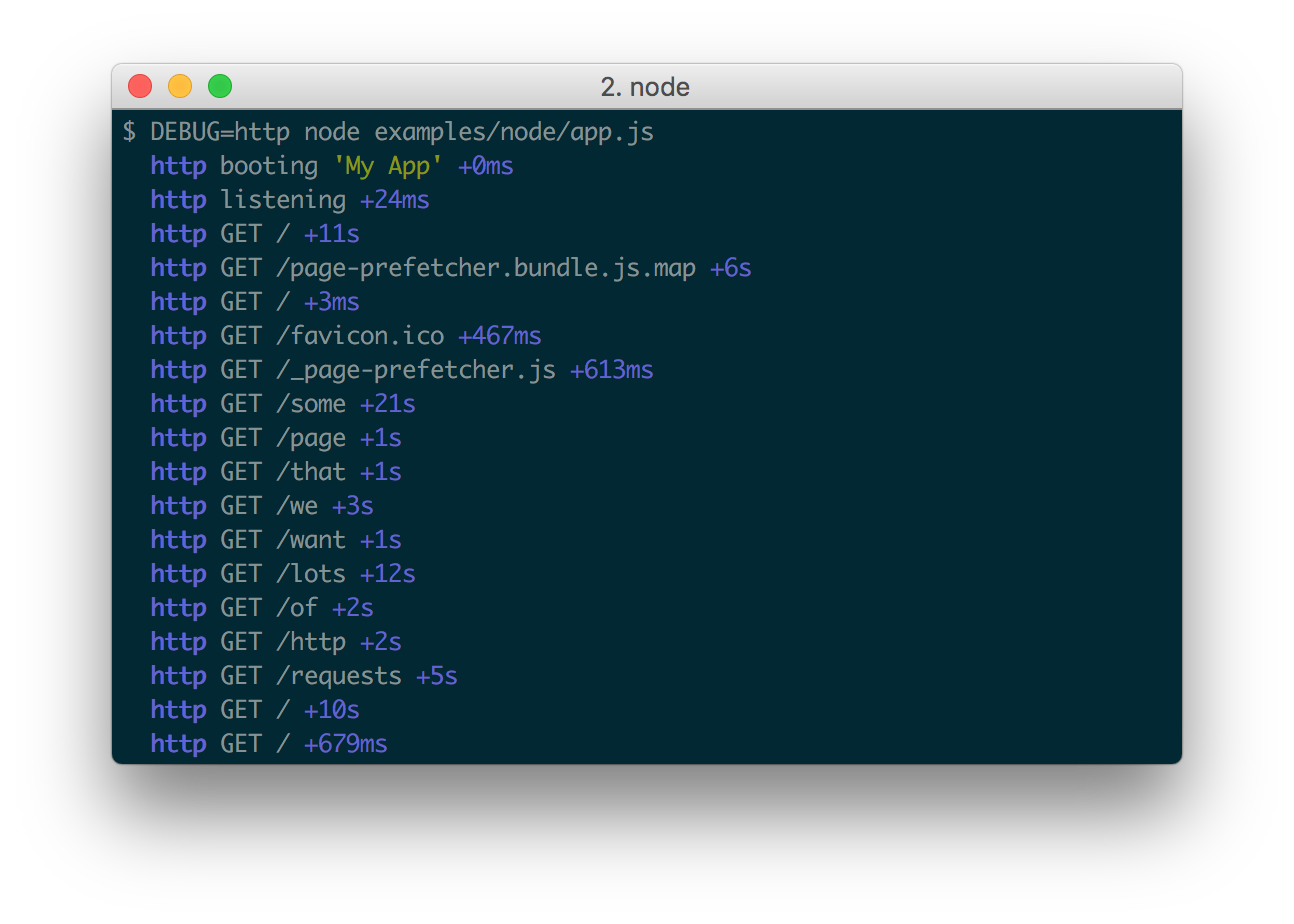
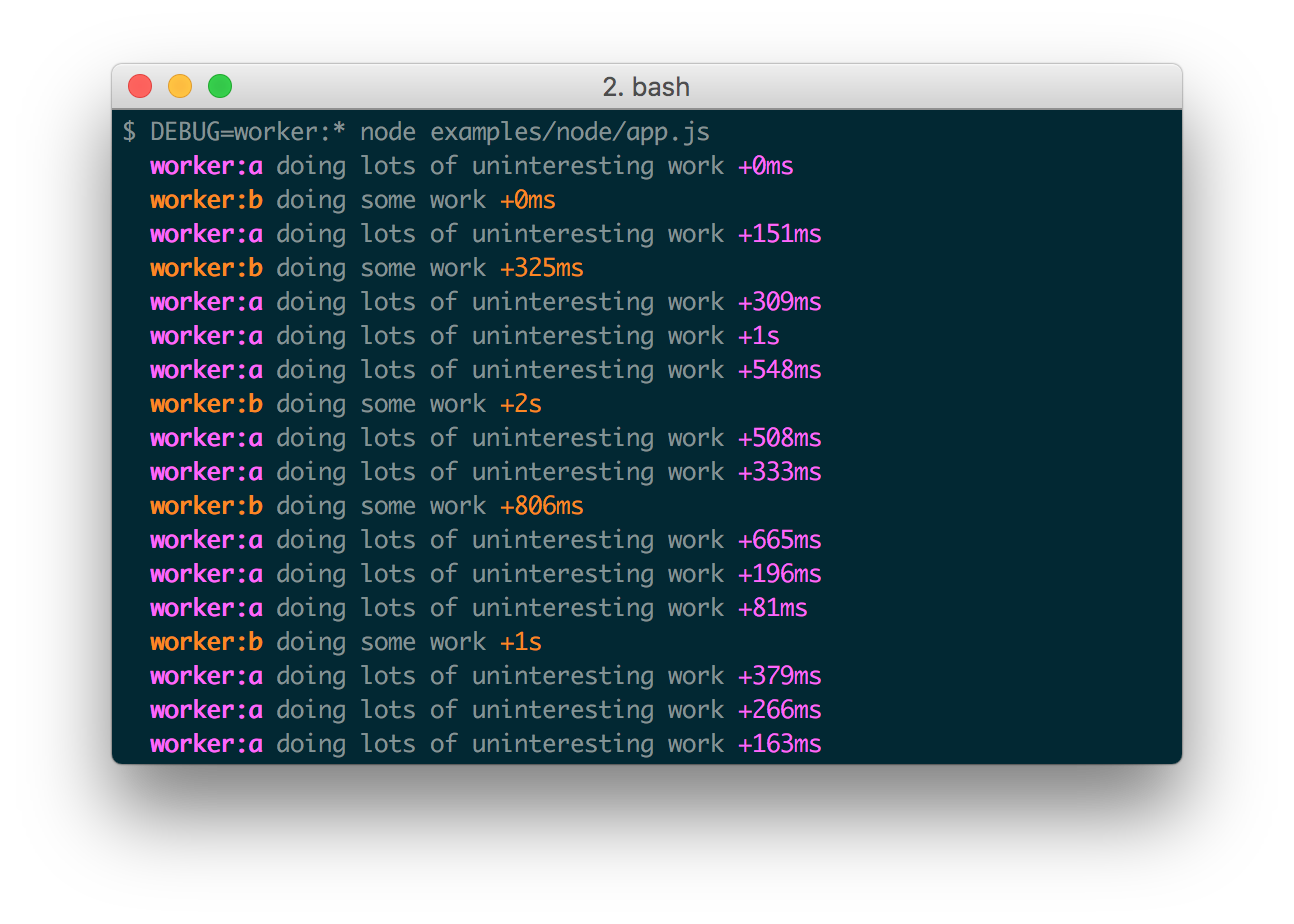
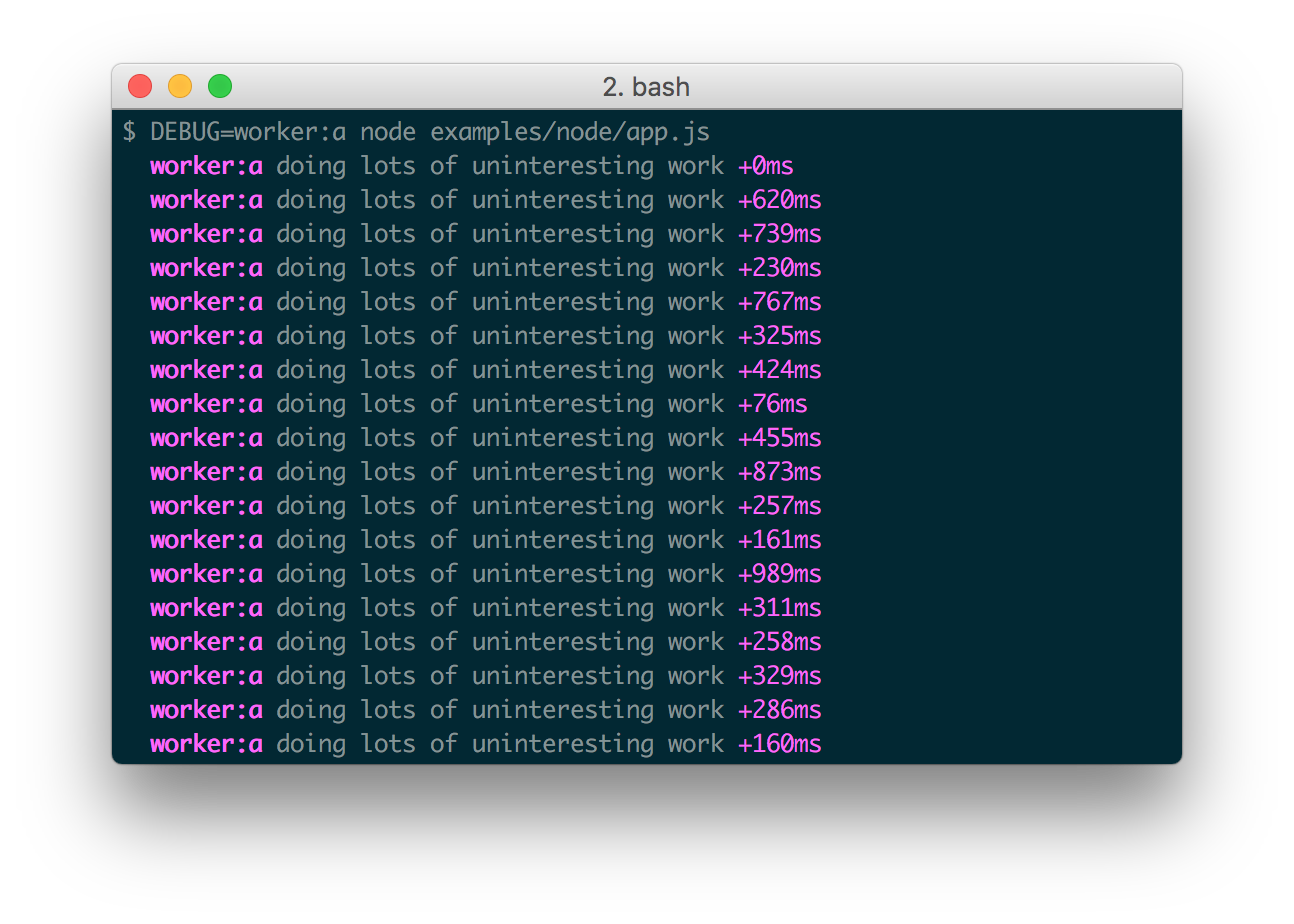
DEBUG environment variable is then used to enable these based on space or comma-delimited names.
Here are some examples:
Saturday, January 26, 2019
cài đặt qua npm
mkdir video
cd video
npm init // để tạo file package.json
npm i video.js // sẽ tạo thư mục node_modules
touch video.html // ở đây ta có thể import các modules
Subscribe to:
Comments (Atom)